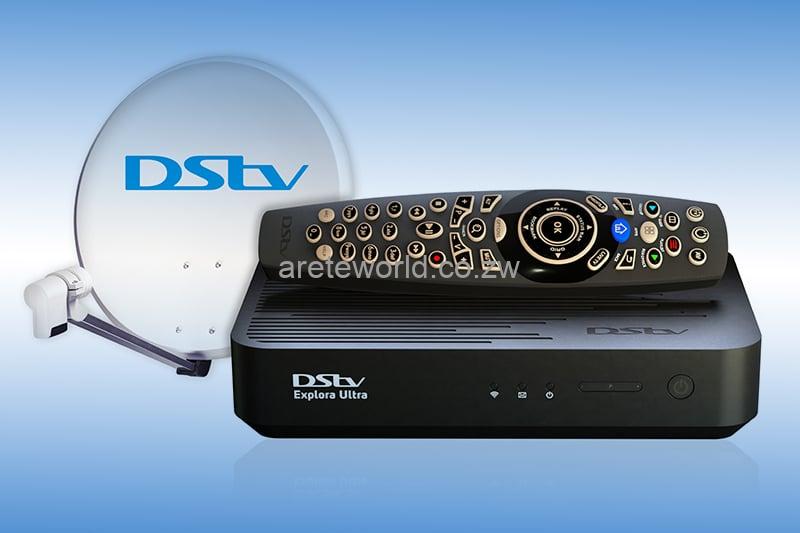
Dstv Installation – Satellite Dish and Decoder Setup
A reliable satellite television setup starts with suitable equipment, secure connections, and correct dish alignment. Our Dstv installation service helps homeowners and businesses set up their television systems, connect compatible decoders, and prepare additional viewing points. We assess your property and existing equipment before recommending the work required. Whether you need a complete system for a new home or want to connect a decoder to an existing dish, we explain the proposed setup and provide a quotation before starting.
What Does a New Dstv Installation Include?
A complete satellite television setup may require a dish, mounting bracket, compatible LNB, coaxial cable, connectors, and a decoder. The exact equipment depends on your decoder model, property layout, and viewing requirements.
Our technicians assess the available mounting positions and discuss a suitable cable route. We then install the agreed equipment, align the dish, connect the decoder, and check reception. If you already have some of the required components, we can assess whether they are suitable for reuse
Services
Available for 24/7
Emergency Service
01.
Satellite Dish Mounting and Alignment
The dish needs a secure mounting position and an unobstructed path towards the required satellite. Trees, buildings, and other structures may affect the available mounting options.
We discuss the proposed location before drilling or attaching a bracket. After mounting the dish, we align it and check the signal at the decoder.
A dish that has moved out of position may cause reception problems. In that case, realignment may resolve the issue without requiring a complete replacement.
02.
Choosing the Right LNB
An LNB receives the satellite signal at the dish and passes it through the cable to your decoder. Different decoder arrangements may require different LNB types.
Before completing a Dstv installation, we check the decoder model and the number of viewing points you need. This helps us assess which equipment is compatible with your planned setup.
If you are upgrading an older system, the existing dish may remain suitable even when the LNB needs to change.
03.
Explora and HD Decoder Connections
A decoder upgrade may require changes to your satellite connections. For example, the new model may need a compatible LNB or a different cable arrangement.
We check the available equipment before connecting your decoder. Once the physical setup is complete, we test the connection and explain the basic operation of the installed system.
Subscription activation and account-related changes may need to be completed through DStv’s official customer support channels.
04.
Extra View and Multiple Rooms
Some households want independent viewing in different rooms. Others simply want to show the same programme on more than one television.
These needs involve different connection arrangements. Extra View supports independent viewing with compatible decoders and an eligible subscription.
When planning your Dstv installation, tell us how many televisions you want to connect and what you want to watch in each room. We can then assess the required equipment and cable routes.
05.
Installing Satellite TV in a New Home
If your property has no existing satellite equipment, we can discuss a complete setup based on the building layout and your preferred television position.
For a newly built home, it helps to plan cable routes before completing interior finishes. This may reduce the need for visible cabling later.
If the property already has a dish, we inspect its condition and assess whether it suits your decoder before recommending new equipment.
06.
Moving Your Decoder to Another Room
You may want to move your television from the lounge to a bedroom or entertainment area. However, a satellite decoder needs a suitable connection at its new location.
Our technicians can assess the available cable route and explain whether you need an additional connection point.
Do not assume that a standard television aerial socket will support your satellite decoder. The existing wiring must suit the equipment and connection arrangement.
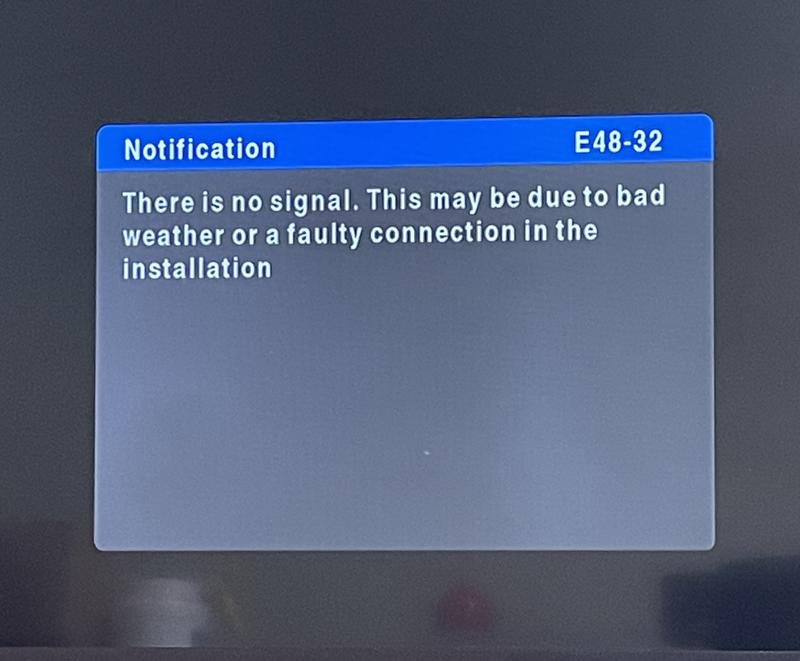
Common Problems After an Installation
If your television displays no picture after setup, the cause may involve the selected HDMI input, a loose cable, decoder settings, or satellite reception.
An E48-32 error indicates a satellite signal problem. It does not automatically mean the decoder is faulty.
We can check installation-related causes such as dish alignment, LNB compatibility, and cable connections. If the issue relates to your subscription or account, you may need assistance from DStv customer support.
Gauteng Areas We Serve
We welcome enquiries about Dstv installation in Johannesburg, Pretoria, Centurion, Sandton, Randburg, Midrand, Alberton, Germiston, Bedfordview, Boksburg, Edenvale, and surrounding areas.
Appointment availability depends on your suburb and the work required. Share your location when contacting us so we can confirm whether a technician can visit.
What to Tell Us When Requesting a Quotation
Providing a few details helps us understand your requirements:
- Property location: Share your suburb and property type.
- Existing equipment: Tell us whether you already have a dish, LNB, cables, or decoder.
- Decoder model: Provide the model name if you know it.
- Viewing points: Explain how many televisions you want to connect.
- Preferred setup: Tell us where you want the decoder and television placed.
- Access requirements: Mention any mounting restrictions or property permissions.
You can also send photographs of safely accessible equipment. Do not climb onto a roof to take pictures.
- 067 308 8532